
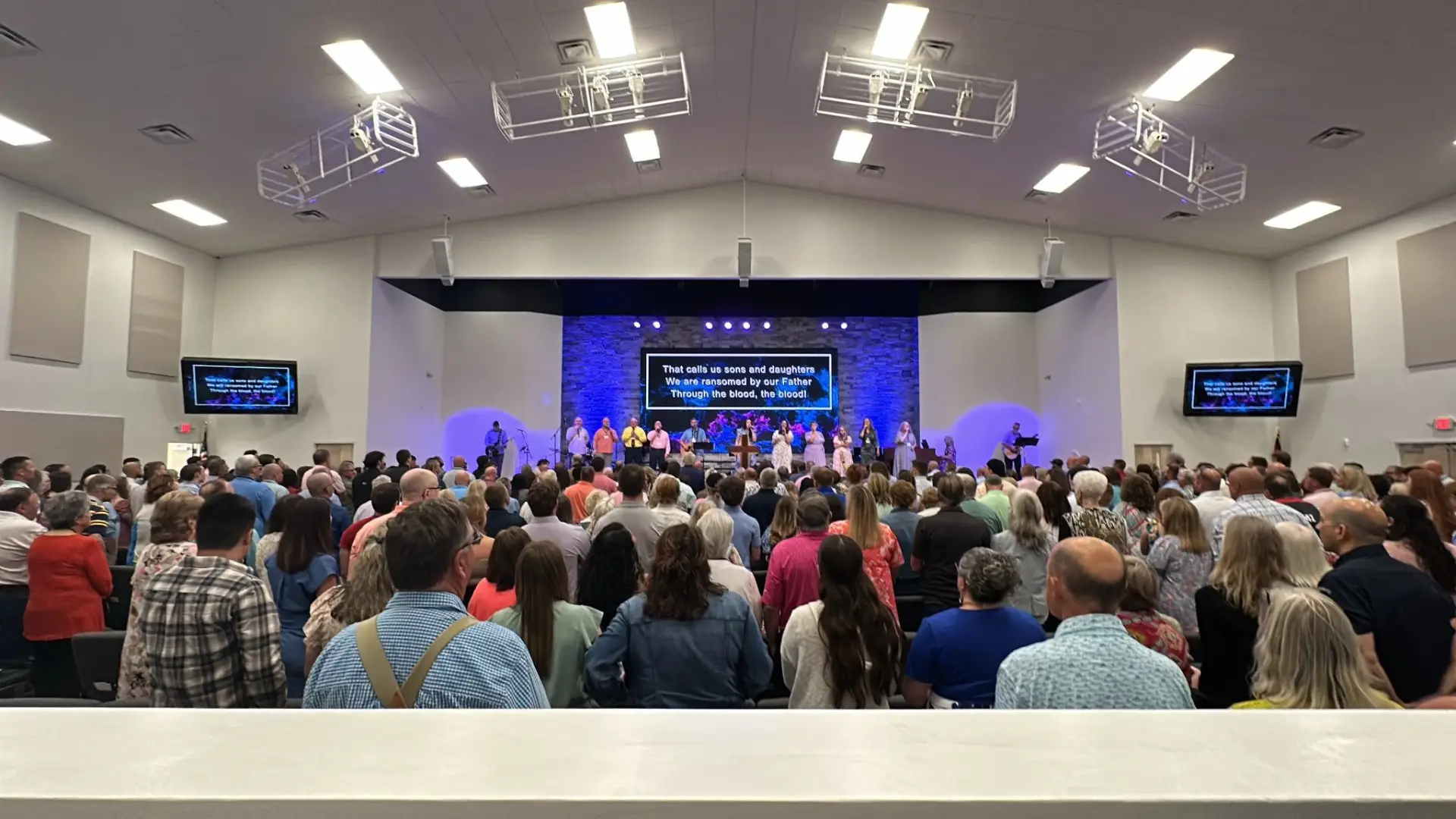
Live streaming has become a core part of ministry for a lot of churches — and I get it. The ability to reach someone who’s traveling, homebound, or just checking out your church for the first time before they walk through the door is worth a lot. When it works well, it extends your reach in ways that weren’t possible even ten years ago.
When it doesn’t work well, it’s a weekly source of frustration for your volunteers and a poor reflection of your ministry to the people you’re trying to reach.
The difference between those two outcomes usually isn’t the platform you’re streaming to or whether you bought the camera your neighbor recommended. It comes down to whether the system was designed as a system: audio, video, production tools, and network infrastructure working together. Or whether it was assembled piece by piece and hoped for the best.
I want to help you avoid the second scenario.
Start With Goals, Not Gear
One of the most common mistakes we see is churches jumping straight to equipment research before they’ve clearly defined what they’re trying to accomplish. You end up buying for the wrong problem.
Before you compare cameras or streaming platforms, it’s worth answering a few foundational questions. Who is your livestream actually for? How many volunteers will run it each week, and what’s their technical comfort level? Are you trying to match what people expect from a polished online broadcast, or is a clean, consistent feed enough? Do you expect online engagement to grow, and will the system need to support special events or multi-site services down the road?
The answers matter more than most churches realize. A smaller congregation with two or three volunteers running production benefits from a simple, easy-to-operate setup that anyone can run confidently week after week. A growing church planning to expand online engagement may need a system designed from the start to add cameras, graphics workflows, and more sophisticated production as ministry demands evolve.
The goal isn’t to build the most complex system possible. It’s to build a system that serves your ministry and fits the people who will actually use it.
The Core Components of a Church Live Streaming Setup
Every church live streaming setup is different, but most are built around the same fundamental elements. Understanding what each one does and where things tend to go wrong helps you make smarter decisions at every budget level.
Cameras
The camera system is the visual foundation, but it’s rarely where the biggest problems originate. Some churches start with a single camera positioned at the back of the sanctuary. Others use multiple angles to capture worship, preaching, and congregation moments. Both can work well.
PTZ cameras (pan, tilt, zoom) are popular because they give you flexibility without requiring dedicated operators at each camera position.
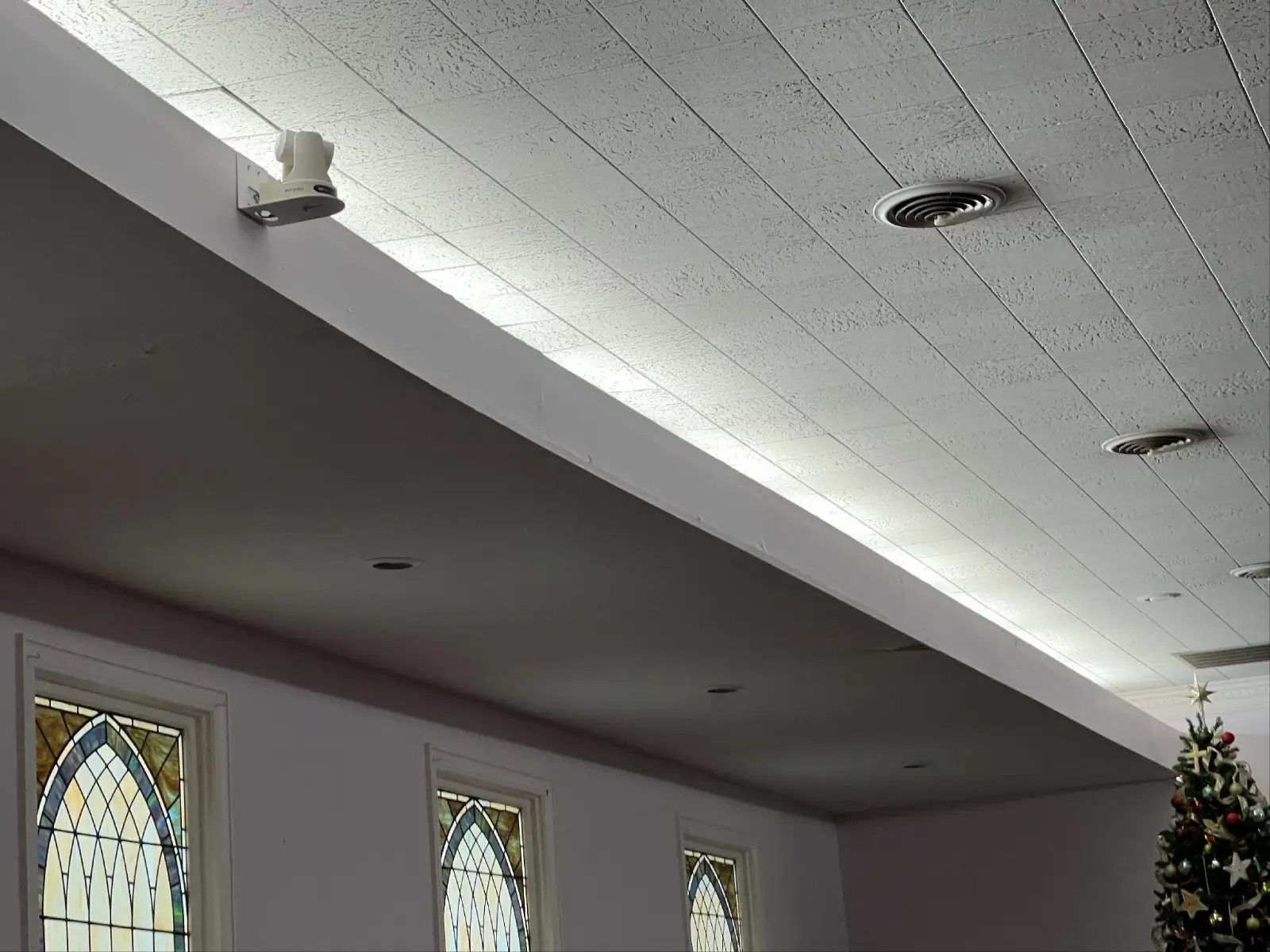
One volunteer can control multiple PTZ cameras from the production station, which is a practical solution when staffing is limited. The right camera strategy depends on room size, desired viewing experience, and how many people you have to support the system.
Audio
If there’s one area churches consistently underinvest in, it’s audio — and it’s the one that matters most. Viewers will tolerate average video quality far longer than they’ll tolerate audio that’s hard to understand. If online attendees can’t clearly hear the sermon or follow the worship, they’re gone.
One thing worth knowing: the audio mix inside your sanctuary is often not the right mix for streaming. What sounds full and balanced in the room can come across as muddy or harsh through speakers or earbuds. Growing churches typically implement a separate livestream audio mix optimized specifically for online listeners. It’s an extra step, but the difference in listener experience is real.
Video Switching and Production Tools
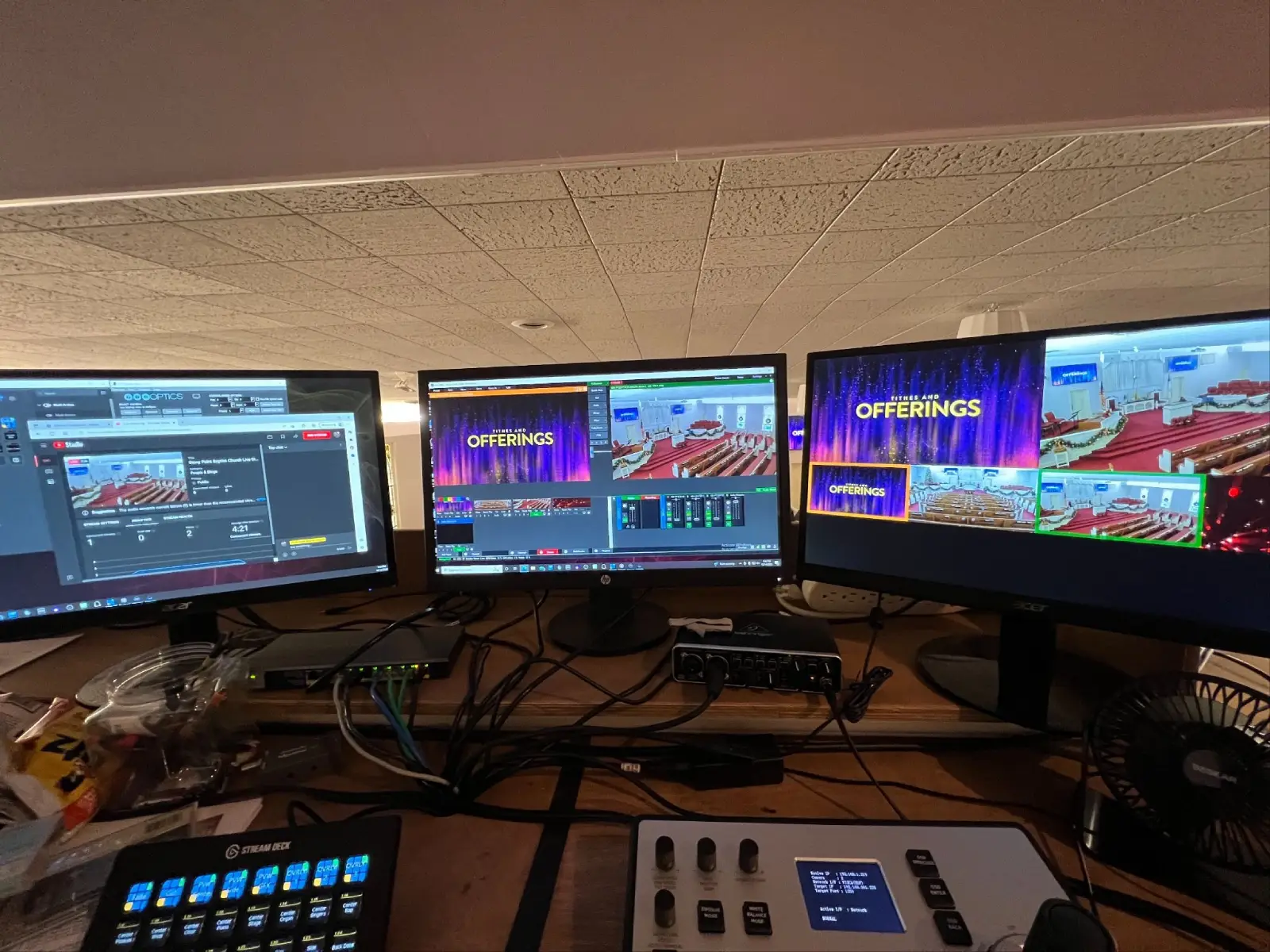
Beyond capturing video, you need a way to manage what viewers see throughout the service. Production tools let you switch between camera angles, display lyrics and sermon slides, incorporate pre-recorded video, and add lower-third graphics. Even a relatively basic production setup goes a long way toward keeping online attendees engaged.
Ease of use here is just as important as the feature set. A system your volunteers can run confidently every Sunday will outperform a more capable system that creates stress and inconsistency.
Streaming Hardware and Software
Once your audio and video are captured, they need to be encoded and delivered to your streaming destination: YouTube, Facebook, your church website, or all three. You can accomplish this through software running on a dedicated computer, a standalone hardware encoder, or an integrated production system that handles switching, graphics, and streaming from a single device.
Each approach has trade-offs in cost, reliability, and flexibility. The right choice depends on your production complexity and how much you want to manage on a given Sunday morning.
Internet Connectivity
This is the piece people skip until it bites them. None of the equipment matters if your internet connection can’t reliably support the broadcast. A connection that handles normal church office use may not provide the consistent upload speed and stability that livestreaming requires, especially during a high-attendance service when every other device in the building is also competing for bandwidth.
It’s worth testing your upload speed under real conditions and considering whether you need to dedicate bandwidth specifically for the stream. Some churches maintain a backup internet connection to protect against interruptions during important services. It sounds like overkill until the connection drops mid-sermon on Easter Sunday.
What Different Church Setups Actually Look Like
There’s no single right answer for a church live streaming setup. The right system is the one that fits your ministry goals, your volunteer capacity, and your budget, in that order.
Getting started: the simple setup
For churches just beginning to livestream, simplicity is usually the right call. A basic setup might include one or two cameras, integration with your existing audio system, basic streaming software, and a single destination like YouTube or Facebook. This gets you in front of an online audience without overwhelming your volunteers or your budget. Done well, a simple system runs reliably week after week, which is worth more than a complicated one that requires constant troubleshooting.
Growing congregation: the mid-level setup
As online engagement grows, churches often start looking for ways to improve production quality without dramatically increasing complexity. A mid-level setup typically adds multiple PTZ cameras, a dedicated livestream audio mix, video switching capabilities, worship lyrics and sermon graphics, and more deliberate production workflows. This is where careful production choices start having a real impact on viewer engagement.
Larger ministry: the advanced setup
Larger churches and multi-campus ministries need greater flexibility and scalability built in from the start. That typically means multiple camera angles throughout the sanctuary, dedicated production workstations, advanced graphics and media integration, multi-platform streaming, and infrastructure designed to support future expansion. These systems are engineered to deliver a polished online experience while staying practical for the staff and volunteer teams running them.
Mistakes Worth Avoiding
After working with churches on livestreaming systems across a range of budgets, a few patterns show up consistently.
Prioritizing video over audio. Cameras get a lot of attention, and audio gets treated as an afterthought. It should be the other way around. Clear, intelligible sound has more impact on whether people keep watching than video resolution.
Building a system your volunteers struggle to operate. Technology should support ministry, not create stress. If the system is too complicated to run confidently, consistency suffers and volunteers burn out. Simpler workflows almost always produce better outcomes over time.
Underestimating network requirements. A weak or inconsistent internet connection will undermine every other component in the system. Test upload speed under real service conditions, not just on a Tuesday morning when the building is empty.
Choosing equipment that can’t grow with you. Church technology needs change. Choosing scalable equipment and infrastructure from the start saves you from replacing major portions of the system a few years down the road when your online ministry expands.
What a Well-Designed System Actually Delivers
The most effective church livestreams aren’t necessarily the most expensive ones. They’re the ones where online attendees can clearly hear the message, follow along with the service, and feel like they’re part of what’s happening, not just watching a recording from a camera in the back of the room.
Good camera placement, solid audio, dependable infrastructure, and deliberate production decisions all contribute to that experience. When the system works the way it should, your volunteers aren’t troubleshooting on Sunday morning — they’re focused on ministry.
That’s what a good church live streaming setup is actually for.
Let’s Build Something That Works
Whether your church is setting up livestreaming for the first time or trying to figure out why your current system isn’t performing the way it should, we’d love to help. We work with churches across the Carolinas to design and implement systems that align with their ministry goals, their volunteer teams, and their budget.
Reach out to start a conversation about your church live streaming setup — we’ll figure out the right path forward together.
RYGID AV
122 Backstretch Ln., Mooresville, NC 28117
(980) 263-9194 | info@rygidav.com
.webp)
Recommended articles
Explore our latest news & articles below


Where to Contact + Connect with RYGID AV
Mooresville, NC 28117
Mooresville, NC 28117